
2023’s first drop of InstallAware Multi for macOS, Linux, and Windows has arrived – download beta 3 at www.installaware.com/installaware-multi-platform.htm today!
– Localization: In-engine multi-lingual awareness, coupled with the Localization Wizard and the third-party redistributable stand-alone Translator app (letting you share localizable assets without giving your IP away).
– Visual IDE: It’s finally here! Graphically design your Features, Files, Dialogs, Shortcuts, Run Programs, Web Media Blocks, and Script Analytics – while the IDE automagically generates underlying code for you!
– ARM Architecture: Official support for macOS and Linux ARM builds, out-of-the-box! Plus, platform defines which let you broadly (or precisely) identify whether you’re running on the AARCH64 platform.
– New Project Dialog: From Template creation (isolate shared references [such as Include Scripts], converting projects into reusable assets) to new Sample Projects, it’s all making its way here.
InstallAware Multi is 100% dependency-free (no Java), native-code (for all operating systems), with support for advanced features such as silent installs out-of-the-box.
Only InstallAware Multi features 100% customizable setup dialogs with a 100% customizable setup script – letting you get the job done in record time.
Are you working on an open source project? InstallAware Multi is built with Lazarus, and we’re giving free licenses for all open source efforts!
Turkiye Earthquake Relief Donations
As you may have already heard, Turkiye has been hit hard by two earthquakes in rapid succession – in magnitudes of 7.8 and 7.6.
These off-the-charts tectonic events have spelled utter disaster for a region already stressed to the brim.
While tens of thousands have been killed, there’s many survivors in urgent need of relief:
www.installaware.com/earthquake_relief.asp
Please feel free to donate to any relief fund of your choosing – we encourage you doing your own research.
No matter which fund you donate to, please send us your donation receipts, and take any InstallAware product of equal value.
It’s the least we can do to help the survivors of one of the worst natural disasters to have hit the region in the last two millennia.
InstallAware 22H2 Paired With Multi
InstallAware 22H2 is now paired with a ground breaking cross-platform IDE called InstallAware Multi:
o A brand-new, single-edition offering from InstallAware including groundbreaking PackageAware Setup Capture for macOS and Linux.
o Compile your existing projects for macOS and Linux, including code signing and notarization with fully automated command line builds.
o Virtually identical script forms and dialog controls. Load all existing scripts and dialogs – accurate down to the pixel – and recompile.
o The Multi Platform script editor and Dialog Designer are included, so you get to enjoy them even if your edition doesn’t have them for Windows!
o Fully native setups with 100% customizable script and GUI for macOS and Linux. Build your PKG, DEB, and RPM bundles in an easy to use integrated setup.
Download Multi beta 2 immediately and get your hands dirty!
InstallAware MultiPlatform Beta 2 Has Landed
As promised, with all of the core development out of the way; Multi Platform development is finally picking up pace:
o Setup Capture: Enjoy PackageAware Multi Platform, the first-ever application repackager for macOS and Linux!
– Discover changes made by any process – or any package/setup for that matter – to macOS and Linux.
– Emit wildcards for newly created folders – a feature currently lacking even in its original Windows incarnation.
– Leverage its multi-core engine, using all of your available CPU cores for the fastest possible snapshot comparisons.
o InstallAware Import: Directly load all of your existing setup projects into InstallAware Multi Platform!
– Unsupported script commands are commented out with meaningful labels, helping you piece together the missing bits.
– Commands such as Install Files are automatically updated to use Multi Platform style path delimiters.
– Even your dialogs are ported through – with intelligently replaced controls where necessary.
– Generate ready to build, complete setups with all your Include Scripts intact.
o New Commands: Featuring Create Link, the first ever Multi Platform exclusive, for hard and symlink creation.
o IDE Updates: Including new Code Folding and fully unlimited script editor Undo/Redo, among a plethora of other ports.
o Scaling and Stability: We’ve given the entire toolchain a massive pounding, with the subsequent hardening!
– macOS Ventura is now fully supported with signed (and notarized) app deployments for both Intel and M1/M2 Macs.
– The GUI Self-Extractor for Linux completes our platform specific feature roundup in this beta cycle.
– Powered by the new PackageAware and InstallAware Import, now it’s your turn to put Multi Platform through its paces.
Upgrade any existing package (or setup) with PackageAware, rebuild any existing project with InstallAware Import!
InstallAware 22H2 Shipping on Friday This Week
The next big update for InstallAware is almost here, landing on Friday this week!
o Windows 22H2: Official support is here for both Windows 10’s latest and Windows 11’s first major version upgrades, as dubbed by Microsoft.
o Windows Features: Definitions and dependencies have been fully updated for i386, AMD64, and AARCH64 architectures on Windows 10 and Windows 11 22H2.
o ASLR & DEP Security: Additional mitigation to ensure your setups are as reliable as possible and equally safe from attacks – critical in this day and age!
o Up to 50% Faster Builds: Reap the benefits of our cross platform labors trickling down to Windows, even if you haven’t yet upgraded to InstallAware Multi Platform.
InstallAware MultiPlatform Beta 1 Has Arrived
A year and half after our initial announcement, InstallAware Multi Platform Beta 1 is finally here – shipping on Friday this week! Look at the terrific work that’s been accomplished by our team in this exciting evolution of InstallAware:
o Native Binaries: Supporting Linux, macOS, and Windows with zero dependencies (no Java) – zero failures.
o Single Source: A single setup script (and dialogs) that look & feel & work the same on each compiled target.
o Code Signing with Notarization: macOS Gatekeeper friendly! Sign, notarize, and even staple while building.
o Elevation: Official Linux/macOS/Windows privilege escalation channels (with corresponding folder paths).
o Partial Web Deploy: Structure your setups into as many (shareable) online and offline segments as you like.
o Tools & IDE: Command line builds, Dialog Designer, and even the script editor – just as you know & love them!
o Core Commands: Install Files, Create Shortcut, Run Program, Compiler Variables; plus the visual debugger.
o Native Engine: Registry-free state management, per-user/per-machine installs, runtime mutable features.
o Instance Management: Local setup caching (maintenance without source), source resolution (network installs).
o Custom Uninstalls: Bind to external setup logs for seamless old version removals/updates, nothing hard-coded.
Join the conversation and directly shape the the future of cross platform installation!
Beta 1, launching on Friday this week, implements 100% of the above!
We’re thrilled to be partnering with you on this journey, and anxious to hear what you think of InstallAware MP!
How to Compress Your Disk with DiskZIP
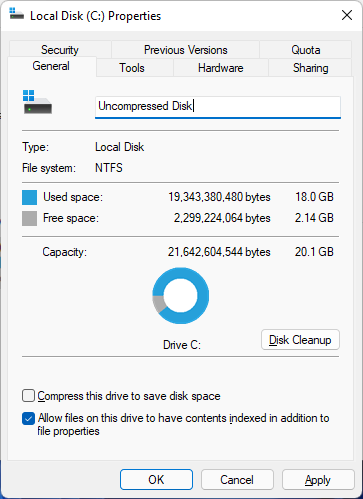
DiskZIP grows your free disk space without deleting, moving, or erasing a single file! But by how much? Let’s find out. Here’s a screenshot of Windows 11 running out of space:
First, install DiskZIP. Point your browser to www.installaware.com/diskzip-security-privacy-performance.htm and click Download Now. Double-click the downloaded file.
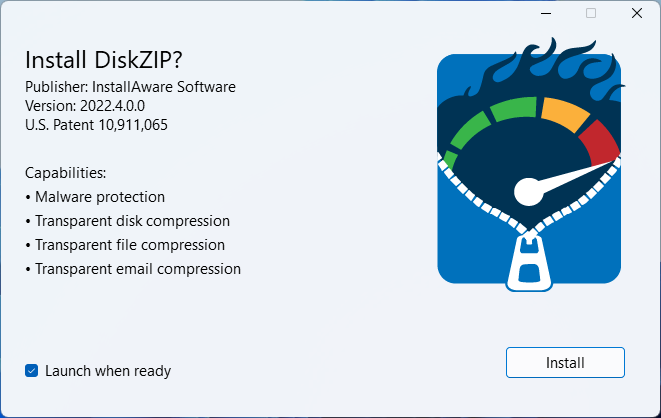
Click Install, sit back, and relax. You’re done when you see the window below:
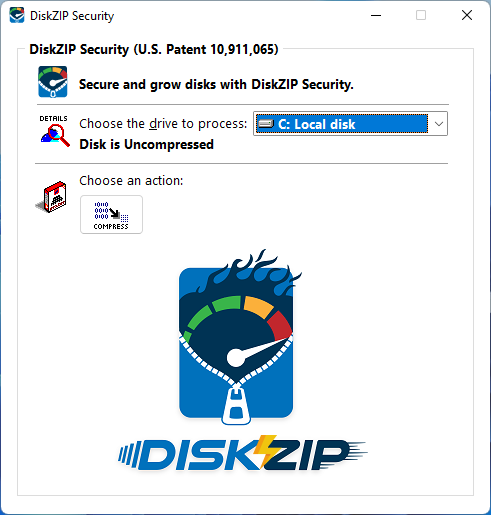
Intuitively, click Compress. Two options are unveiled:
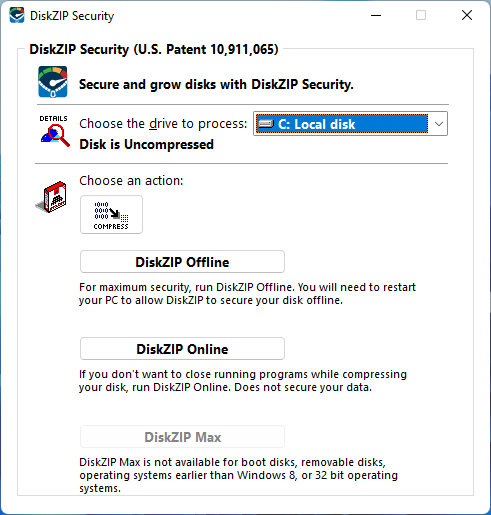
DiskZIP Online performs compression in literally one-click, without even restarting Windows or closing any apps; so you can try it out anytime. Here we want to look at the more powerful DiskZIP Offline, so choose that:
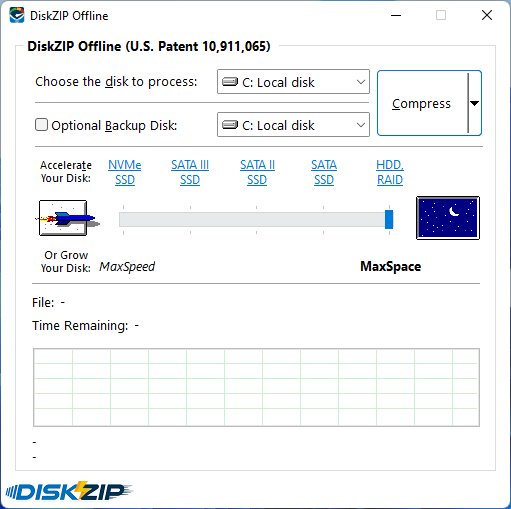
CPU’s today have so many cores and are so powerful that we can safely max out the compression strength without any adverse effects later on: click the big starry field button with the moon on the blue background to move the compression slider all the way to MaxSpace in one fell swoop. After, click Compress. Easy enough!
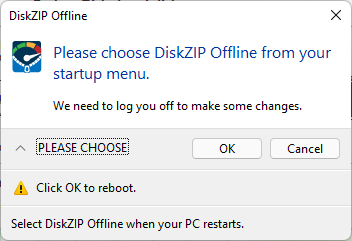
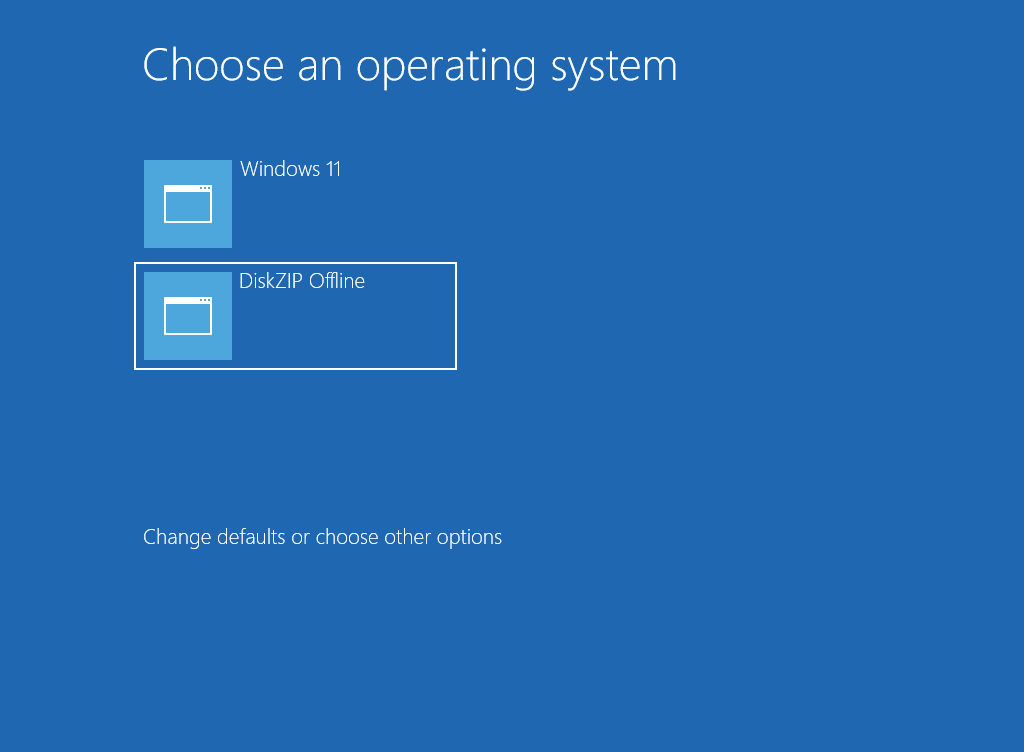
Confirm when you are ready to reboot and click OK. On the boot screen, tap, click, or use the keyboard to select the new DiskZIP Offline item from the menu:
Some stealth PCs may just give you a blank screen (while your display is still switched on) before booting Windows right back up into the Desktop with the following notification:
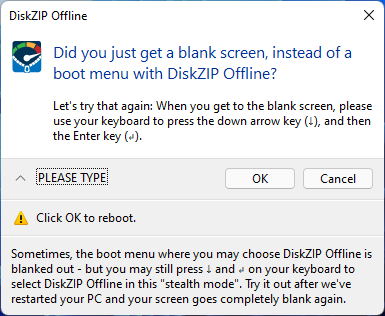
If this happens to you – don’t worry, you’re actually still getting the same blue Choose an operating system screen above just as everybody else is, but your PC is cloaking it for some reason. Just press the down arrow key on your keyboard to select the DiskZIP Offline boot menu item from this invisible screen and then press the Enter key on your keyboard to confirm your selection. You’ve just rejoined us mere mortals without any stealthy laptops:
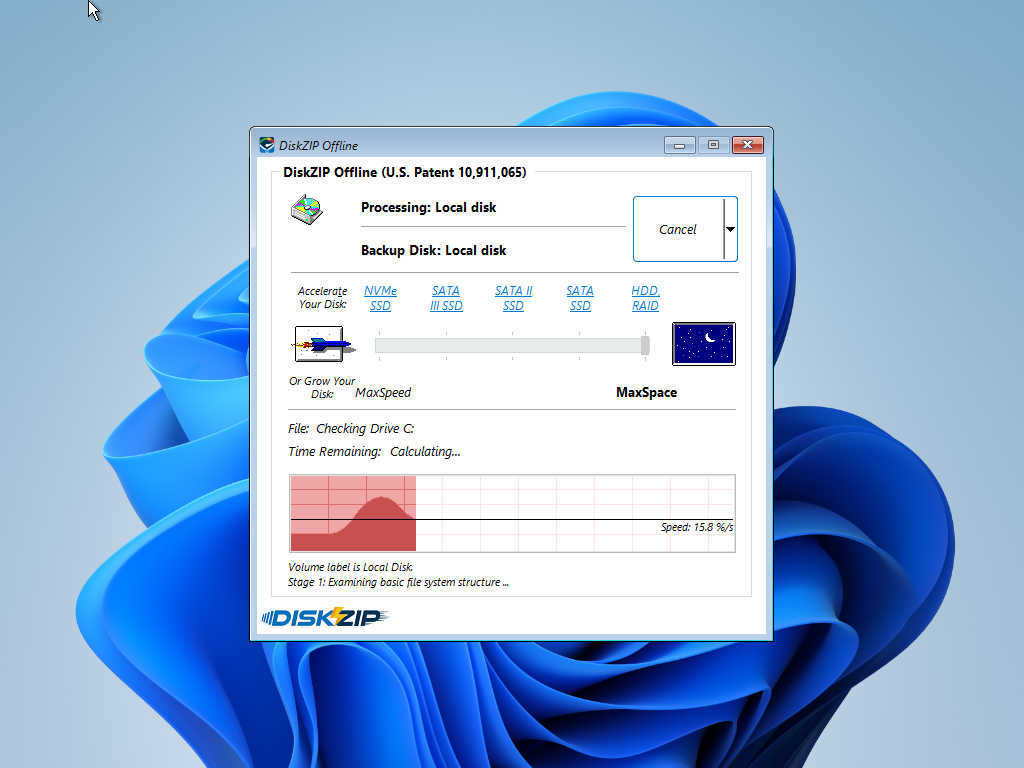
DiskZIP first checks your disks for any errors. Once you are cleared for take off, it starts taking an inventory of all the files on your disk:
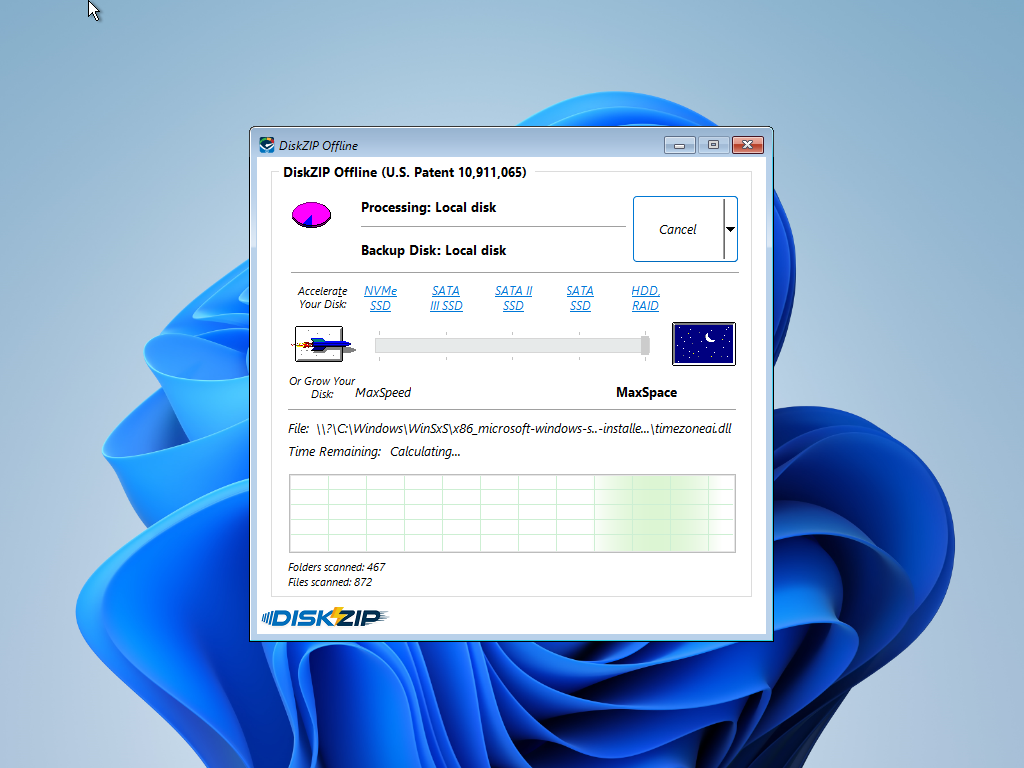
Once the inventory is complete, the fun really starts: DiskZIP builds an archive at the root of your disk, compressing everything including the operating system itself. That’s why we had to restart your PC after all:
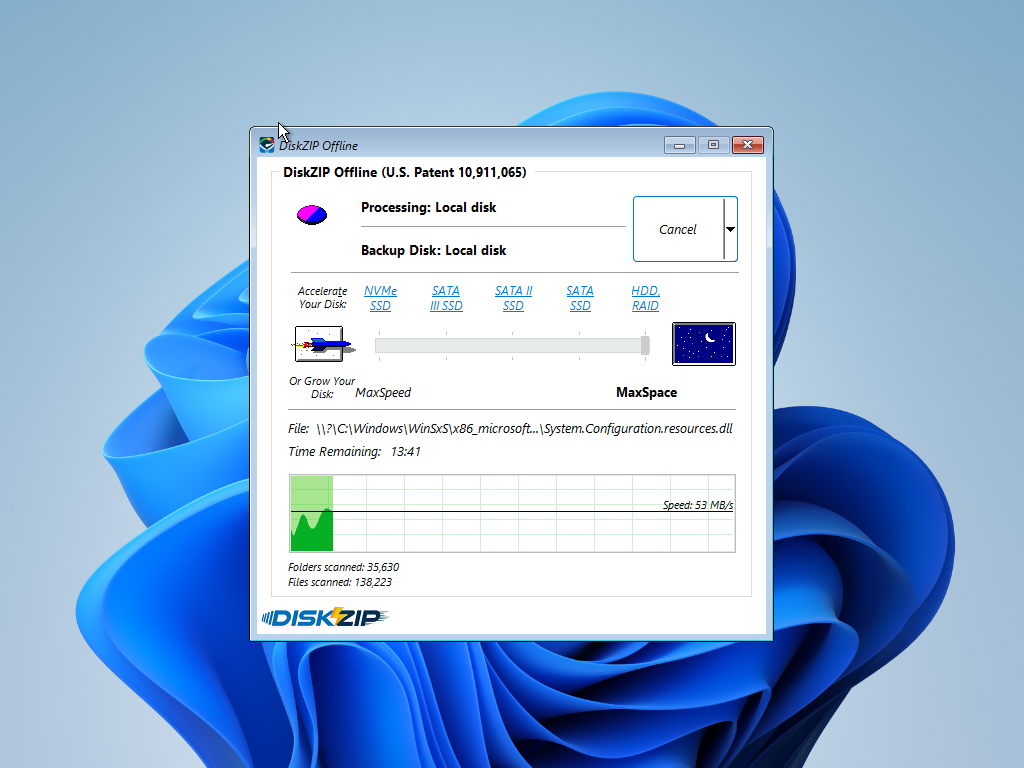
DiskZIP uses all of your CPU cores to build your archive as quickly as possible. While this is going on, you may launch the Task Manager or even a Command Line window by clicking the chevron – the small down arrow – located on the right side of the Cancel button:
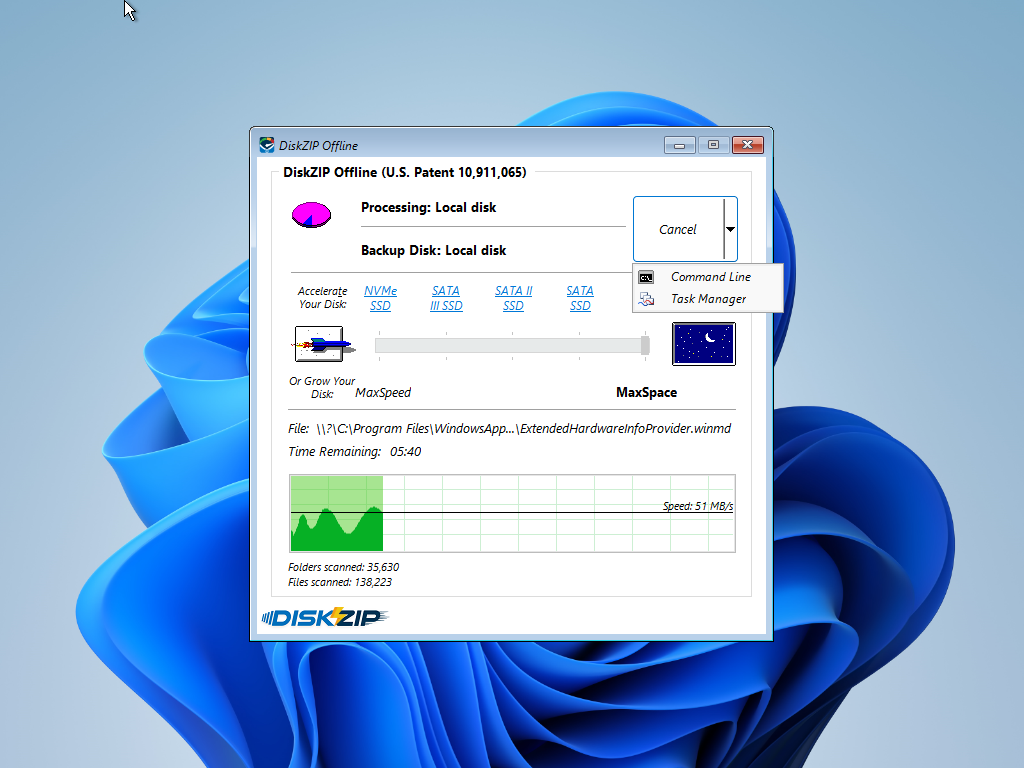
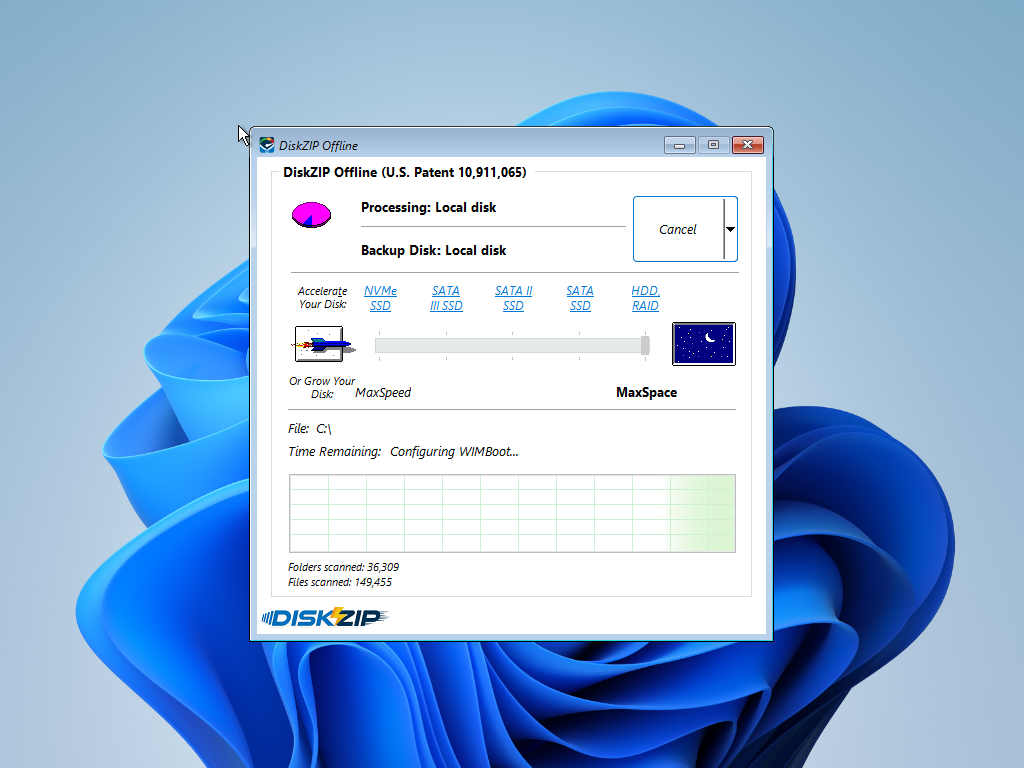
Distractions aside, as soon as DiskZIP finishes creating your archive, it begins configuring your operating system to boot directly from this archive; without ever unzipping anything:
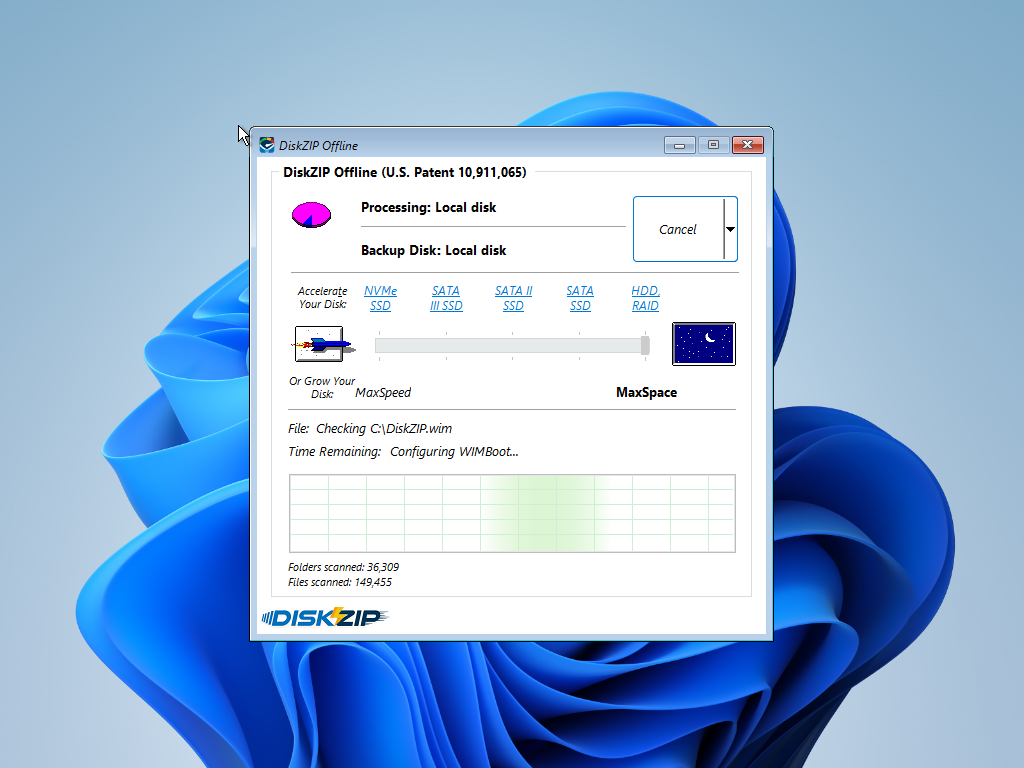
Of course, the original uncompressed files are no longer eating up any space on your disk. Everything is stored as compact as possible, including your operating system itself:
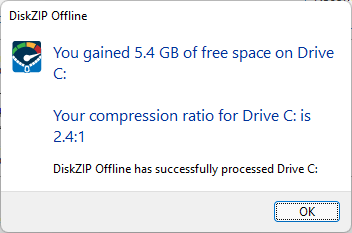
DiskZIP then removes itself from the boot menu and takes us right back into Windows. Not only is everything where we left it, but we’ve also grown our disk by a factor of 2.4X – this is incredible!
That was some quick fun compressing your disk!
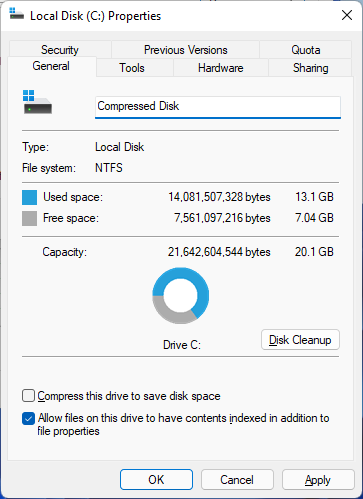
Feel free to re-compress your disk any time you need to maximize your space!
InstallAware Vulnerability Mitigation – Critical
InstallAware Software has identified and resolved a critical DLL preloading vulnerability affecting all versions of InstallAware, and setups built using any version of InstallAware, prior to version 32.10.
Remediation Steps:
1. Download version 32.10 or newer of InstallAware from our public website.
2. Upgrade all your development and build machines to this version, and rebuild all your setups.
3. Replace all your setups in the field with these rebuilt versions as soon as possible.
Developers running InstallAware X15, or on an active maintenance plan, may upgrade to version 32.10 at no charge.
Developers running InstallAware versions X10 through X14 may upgrade to InstallAware 32.10 at a 50% discount:
http://www.installaware.com/upgrade_studio_x15.asp
Developers running InstallAware versions X2 through X9 may upgrade to InstallAware 32.10 at a 34% discount:
http://www.installaware.com/competitive … io_x15.asp
Developers without InstallAware, or on any older versions of it, may upgrade to InstallAware 32.10 at:
http://www.installaware.com/full_studio_x15.asp
InstallAware Software strongly advises that all users of InstallAware upgrade to version 32.10 at their earliest possible convenience.
InstallAware X15 with Context Menu Bridge Coming This Friday
The date is almost here! Get ready for InstallAware X15 with the industry’s one and only Context Menu Bridge:
– Three Technology Stacks: Save having to learn COM (IExplorerCommand), MSIX (sparse packages), and Windows Runtime (WinRT APIs) – just to get your right-click extensions working in Windows 11!
– New Application Runtime: Tick a single check-box in the Application Runtimes designer (Context Menu Bridge), paste your existing IContextMenu CLSIDs, and you’re done!
– Context Menu Bridge Plug-In: This new plug-in wraps any number of IContextMenu COM objects inside its own IExplorerCommand COM object at build time. It also creates a sparse MSIX package you may use to install your newly bridged menus.
– (Un)Install Sparse MSIX Package Plug-In: This new plug-in then registers (or removes) the sparse MSIX package produced by the new Context Menu Bridge plug-in above.
– Nothing Hard-Coded: Use either the built-in application runtime, or go under the hood via the new plug-ins above. Either way, save yourself hundreds of hours of time.
Nobody does Windows 11 like InstallAware X15!
New! InstallAware X15 with Context Menu Bridge
New InstallAware X15 is launching on March 25th! Take a look at what we’ve been brewing for you:
– Context Menu Bridge: Those of you who have been with us for a long time will recall our slogan “Windows Installer without Rocket Science”. Well, context menus for the new Windows 11 File Explorer are a new breed of rocket science. Worry not, as our engineers worked day and night to help you cheat fate!
– Zero Recompile: Easily carry over your existing Windows File Explorer context menus (IContextMenu objects) to the new Windows 11 File Explorer (IExplorerCommand objects) with absolutely zero code changes – not even so much as a recompile! Port anything from a single menu to multiple cascaded menus.
– Sparse MSIX Package Generation and (Un)Registration: That’s a mouthful, right? Well, we did warn you this was a bit of rocket science, didn’t we! While context menu registration is no longer as easy as just writing to the registry, we generate the necessary “sparse MSIX packages” for you, and register them too!
– Native Access to the Top Menu: The end-result? All your legacy context menu items now show on the new Windows 11 File Explorer at the top level, without your end-users having to click that pesky “Show more options” item, or having to use Windows 11 hacks disabling the new context menu altogether.
– Nothing Left Behind: Even if your existing menus have their own submenus, we flatten them out for you. Are they already grouped under a single parent menu item? We take care of that too. Are they invoked for only particular file types? Magically works, no gripes! Of course, we launch your native actions upon clicks.
Only InstallAware X15 ports 100% of your existing right-click menus, preserving 100% of your originally coded dynamic menu item captions and invocation behavior; seamlessly working around any new limitations introduced by Windows 11’s new IExplorerCommand based implementation approach.
Remember, at InstallAware – we’re all about taking the rocket science out of your work – letting you concentrate on the actual fun bits for a change!