Page 1 of 1
Click action for AeroPngImage
Posted: Thu Aug 18, 2022 3:25 am
by pfennig
In chapter
Dialog controls of the InstallAware online help it says, the AeroPngImage control was clickable. Unlike the normal Picture control it doesn't allow to select any action. How is it possible to make it clickable in the sense of "something happens when I click on it"?
Re: Click action for AeroPngImage
Posted: Fri Aug 19, 2022 1:53 am
by pfennig
There're a few more things the TAeroPngImage control lacks, compared to the TPicture.
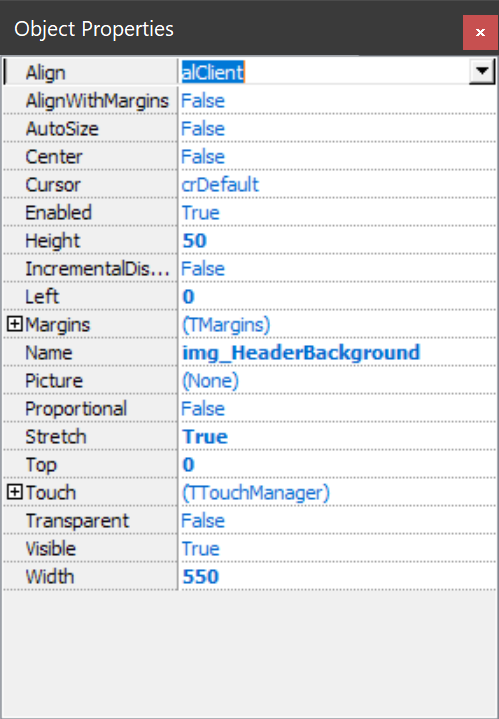
- IA Object Properties TPicture.png (100.23 KiB) Viewed 7133 times
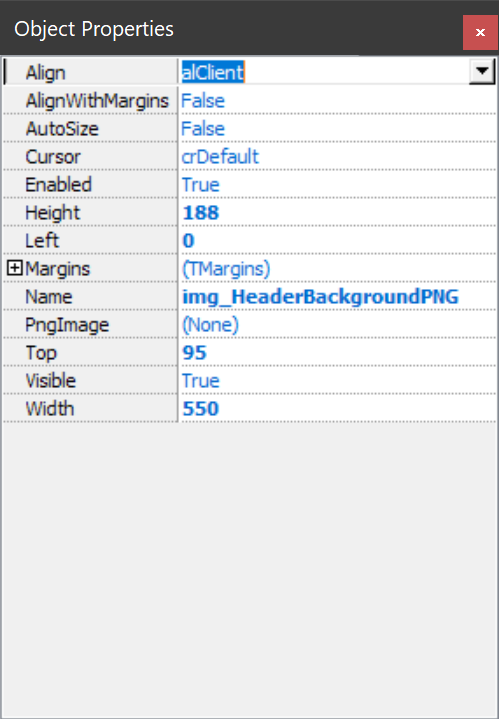
- IA Object Properties TAeroPngImage.png (71.95 KiB) Viewed 7133 times
Also, in our projects we define variables that each holds the path to a bitmap file, which is part of the Creatives. This variable is then used as the name of a TPicture control on every dialog form and gets loaded at runtime.
So we don't need to change any forms between versions and projects, just replace the bitmaps.
The same scenario doesn't work with the TAeroPngImage. It remains empty.
My wish is that its functionality gets extended with all features that TPicture is providing.
Last but not least, it would be helpful if the Object Properties window could get a combobox with all components on the form. Sometimes you have to move controls out of the way just to select another.
Re: Click action for AeroPngImage
Posted: Sat Feb 24, 2024 1:10 pm
by JohnGaver
It seems to me you mean
TImage when you're writing about
TPicture above?
Have you considered
TAeroPNGButton - would it fulfill your requirements, maybe except for runtime image loading?
+1 on the Object Inspector - but it may help to know that you can tab through controls without having to move them around. Just press the tab key on the keyboard
