Page 1 of 1
Missing DPI Awareness
Posted: Wed Aug 31, 2022 10:22 am
by pfennig
In the context of the thread
ASLR / DEP in Installer we recently noticed that none of the executables InstallAware includes and produces is DPI Aware.
After one of my collegues had to install an older version of our setup dating from December 2019 there was actually a fairly nice looking setup with crisp fonts. The header grafic and the radiobuttons look not so nice, though. Process Explorer shows, that the bootstrapped installer is DPI System aware, which is better than nothing:
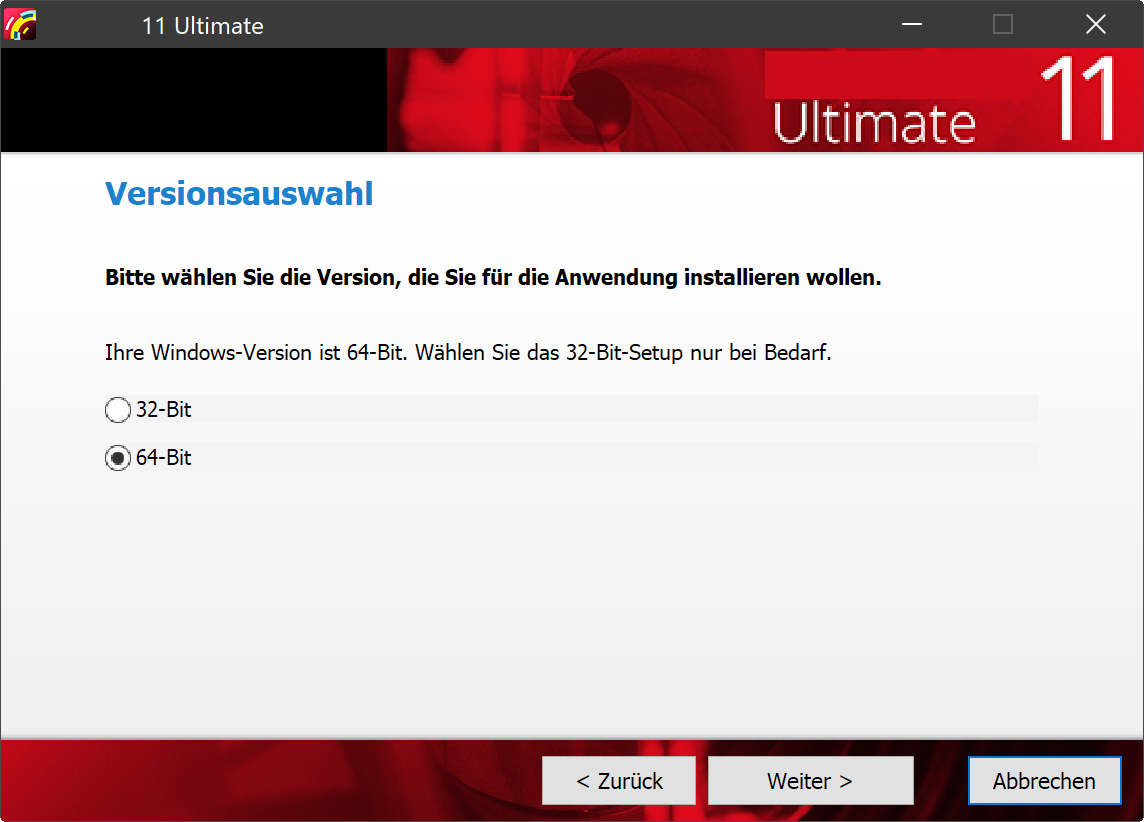
- DSU11606_200.png (116.36 KiB) Viewed 23038 times
One update later, dating end of January 2020, the same setup without any changes on our side looks blurry with a little bit better looking radiobuttons and, for some unknown reason, another font. And the size of the dialog forms has changed too, it's smaller now. Process Explorer shows, that the bootstrapped installer is DPI Unaware:
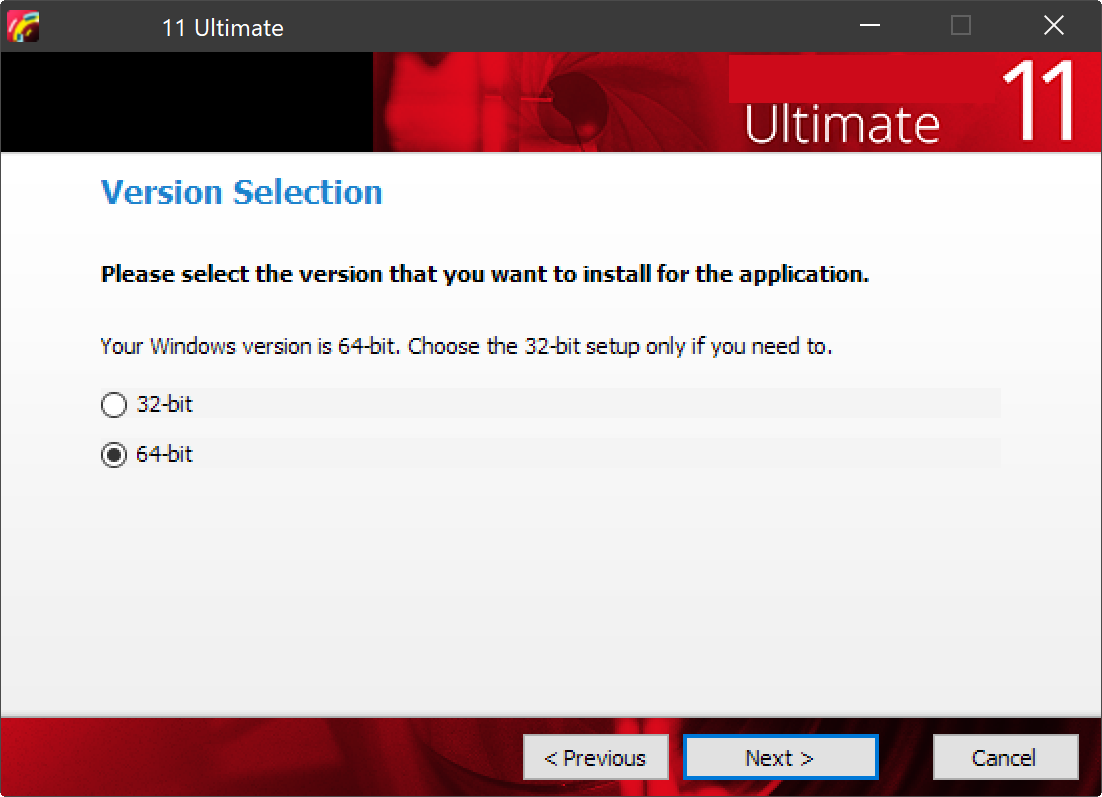
- DSU11607_200.png (71.95 KiB) Viewed 23038 times
The screenshots are taken from a 4K display with 200% scaling.
We don't have the InstallAware version(s) from the time these setups were built anymore, I assume it's an X12.
Anyway, whatever the InstallAware developers did to make the fonts look crisp in the older version, according to the "What's new?" section of the helpfile file High DPI support was introduced in X11, which obviously came with a somewhat better manifest, it got lost before our release of the newer.
This is still the case with X15, which itself looks blurry at higher scaling factors.

- InstallAware unaware.png (96.06 KiB) Viewed 22988 times
Re: Missing DPI Awareness
Posted: Tue Sep 06, 2022 3:13 am
by FrancescoT
High DPI support was introduced in X11 and the generated bootstrap is DPI aware.
In fact, the bottom screenshot you provided looks better to me.
DPI awareness can also be enabled programmatically via WinApi and without a manifest (btw, this is also possible with ASLR/DEP settings). This is way you don't see such settings in the EXE's PE flags.
Re: Missing DPI Awareness
Posted: Tue Sep 06, 2022 10:01 am
by pfennig
FrancescoT wrote:High DPI support was introduced in X11 and the generated bootstrap is DPI aware.
It was - until the first Update in 2020.

- Setup 2019-12-19.png (71.38 KiB) Viewed 23007 times

- Setup 2020-01-24.png (71.53 KiB) Viewed 23007 times
FrancescoT wrote:In fact, the bottom screenshot you provided looks better to me.
You need to open the grafics in another browser tab to get the correct impression. In forums they get stretched.
FrancescoT wrote:DPI awareness can also be enabled programmatically via WinApi and without a manifest (btw, this is also possible with ASLR/DEP settings). This is way you don't see such settings in the EXE's PE flags.
Either way, Windows would know it, Process Explorer would show it.
Re: Missing DPI Awareness
Posted: Tue Sep 06, 2022 10:02 am
by pfennig
Another example:
I used one of your project templates and added a variable that gets the screen DPI assigned.
The welcome screen shows the content of this variable. It's 96, no matter what the actual screen DPI is.
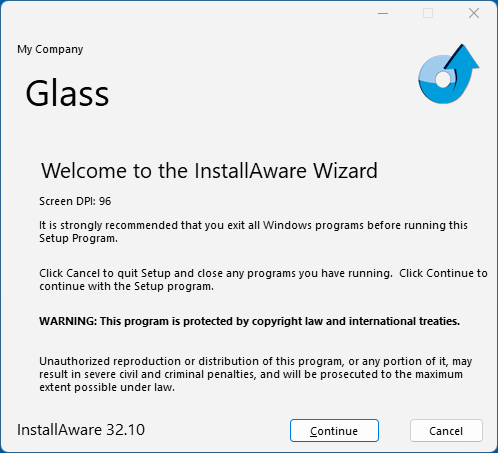
- Glass unaware 100.png (25.3 KiB) Viewed 23006 times

- Glass unaware 175.png (460.29 KiB) Viewed 23006 times
Re: Missing DPI Awareness
Posted: Wed Sep 07, 2022 1:41 am
by pfennig
As for InstallAware itself at 175%, a comparision of a blurry (DPI unaware and thus stretched) GUI and a crisp (DPI aware and thus scaled) Explorer window:
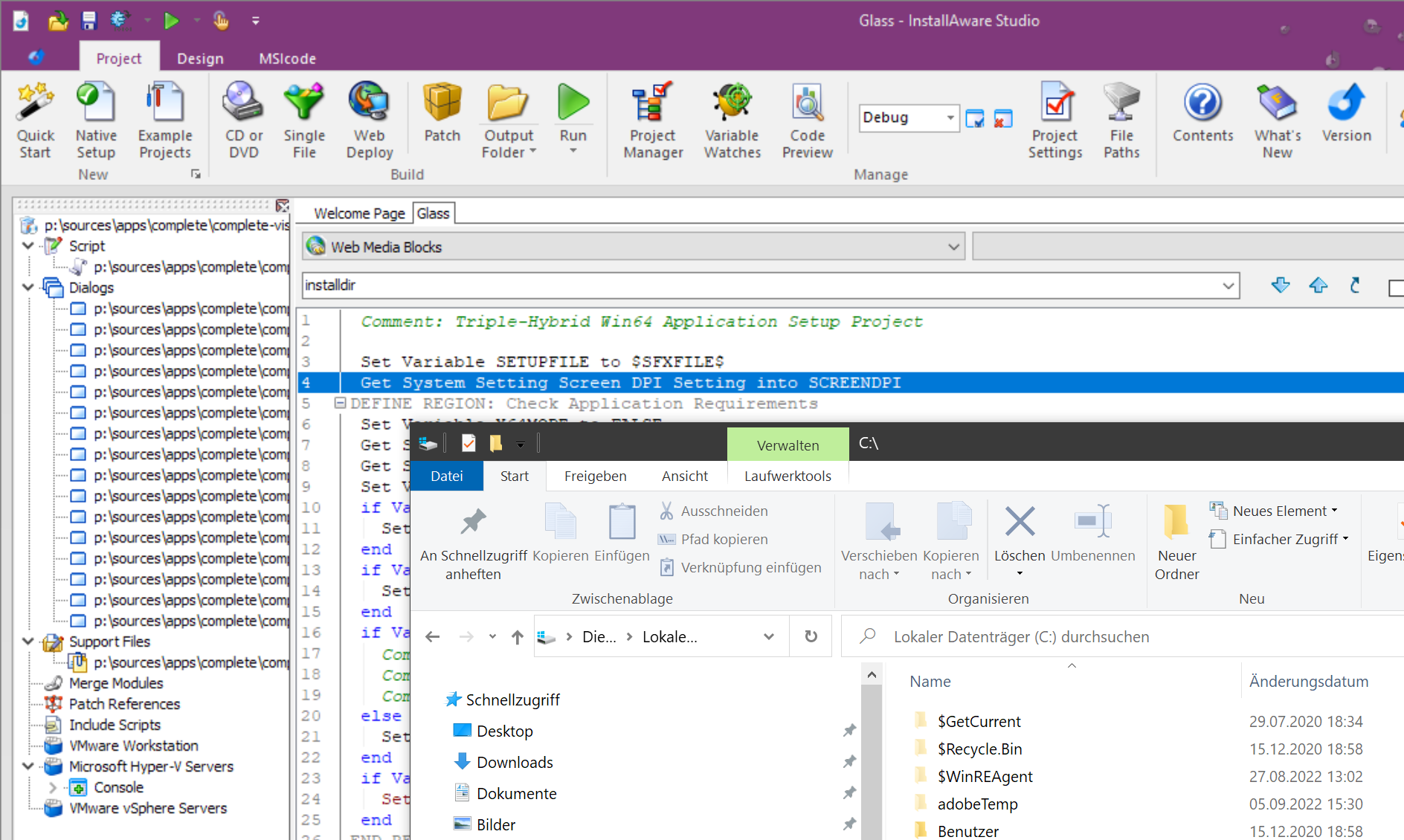
- InstallAware vs Explorer 175.png (588.84 KiB) Viewed 23003 times
Re: Missing DPI Awareness
Posted: Thu Jan 04, 2024 1:37 pm
by tomasess
Did you ever find any solution or workaround for the dpi awareness issue? I get the same behavior with version X16. Neither IDE nor compiled installers are DPI aware and therefore fuzzy with non 100%/96 DPI settings. Now in 2024!!
I tried to add the dpiaware parts to the manifests of dependent.exe and dependentex.exe files (as hinted at on the forum) , but that made no difference.
Re: Missing DPI Awareness
Posted: Sat Jan 06, 2024 1:52 am
by pfennig
Unfortunately not. I tried using manifests as well, with no effect. It's a shame that in 2024 such an expensive software like IA X16 itself and the Setups it creates are DPI unaware and have DEP and ASLR disabled. miae.exe itself is still version 1.0.0.
On our systems all main processes of other programs have DEP and ASLR enabled, are at least DPI Systemaware and have a useful version number.
Re: Missing DPI Awareness
Posted: Wed Jan 10, 2024 3:13 am
by tomasess
Ok, thanks for your reply. Sad to hear and big turn-off...
Re: Missing DPI Awareness
Posted: Mon Feb 12, 2024 7:02 pm
by JohnGaver
pfennig wrote:Unfortunately not. I tried using manifests as well, with no effect. It's a shame that in 2024 such an expensive software like IA X16 itself and the Setups it creates are DPI unaware and have DEP and ASLR disabled. miae.exe itself is still version 1.0.0.
On our systems all main processes of other programs have DEP and ASLR enabled, are at least DPI Systemaware and have a useful version number.
According to our records, you were sent private emails requesting more information on the DPI issue, as implementing the changes that were initially rolled out as part of X11 had adverse effects on other systems.
You never responded to those emails.
You are also 100% incorrect that DEP and ASLR are disabled. Install
Aware shipped updates for DEP and ASLR as part of Install
Aware X15:
https://www.installaware.com/blog/?p=705