Page 1 of 1
How to add new script to be included in main?
Posted: Mon Jul 13, 2020 7:18 am
by digibum
How would I add a new script that would be included from main script?
I would like to break my large main script to more smaller ones for easy management.
Thank you.
Using IA X11 Developer
Re: How to add new script to be included in main?
Posted: Mon Jul 13, 2020 1:54 pm
by FrancescoT
Sure you can.
From IA IDE, switch to MSICode view, right click the "Include Scripts" node in the left tree pane, and then "Create New script". This will add a new Blank Script File to your Project.
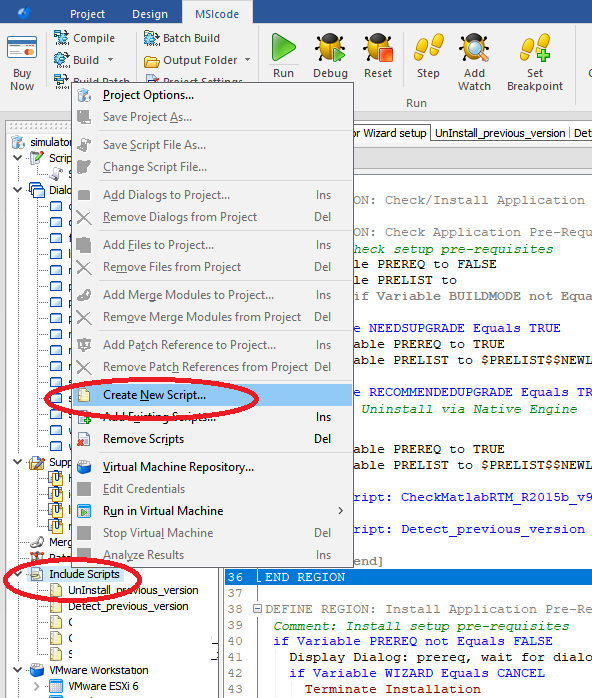
- Create_new_script.png (97.07 KiB) Viewed 3452 times
Finally, use the "Include Script" command to invoke your new script from your main setup script.
Re: How to add new script to be included in main?
Posted: Tue Jul 14, 2020 12:11 am
by digibum
Awesome, thank you!