Here you can see I removed the folder:
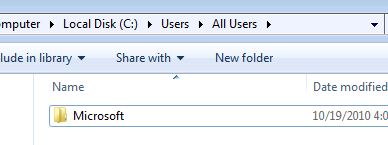
- TestShot7.JPG (19.12 KiB) Viewed 47675 times
I go into add/remove programs and uninstall the VC Runtime 10 since the MSI package installed it successfully.
Now I am going to run the MSI package again from the NETWORK SHARE like I did previously. (It succeeded previously too!)
When I launch the AD Test.msi package, everything looks good - the pre-req screen shows me this:
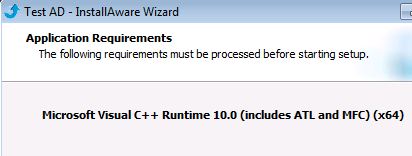
- TestShot8.JPG (19.34 KiB) Viewed 47675 times
But when I click the NEXT button to start the install, I get this ugly thing:
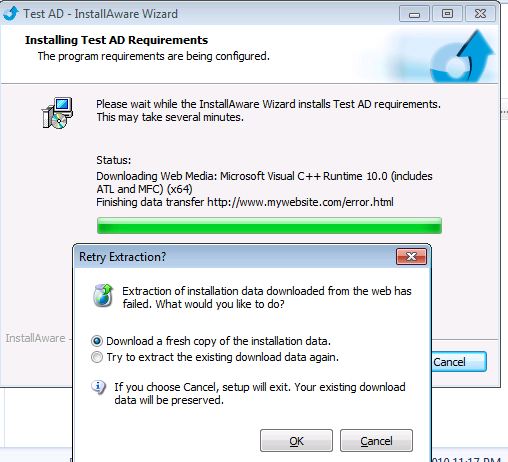
- TestShot9.JPG (53.63 KiB) Viewed 47675 times
This tells me WHY my GPO's are failing - and ALSO why they "succeeded" in the past. They succeeded in the past because the previous EXE "installation test" left the files behind. When I manually removed the files from add/remove programs and applied the GPO deployment, it was successful because it found the sources already on the machine locally.
If I remove the sources from the local machine as shown above and run the MSI package, it doesn't see my files on the network share which is EXACTLY what Group Policy Deployment does. In my real application deployment, I have a valid URL for downloading the packages - but I leave it up to my customers to choose to use it.
This HAS to be a bug or there has to be a way I can fix this....
You can test this without having to do a GPO deployment - but at least now I understand why it fails and why it succeeded previously.
I copied the files to the local drive into a temporary folder and tried to install the files from the local source and it failed with the same message - that it couldn't download the source. Ignore the fact that I have an invalid URL - I expected it to see the files in the local folder since they were there. I do expect that if it DID NOT see the files there, that it would go out and fetch it. This is the behavior the of the EXE - if I run it and the media block isn't there, it will go fetch the file from the URL. I have tested this situation and it does work.
I KNOW that the installation will work if I create an SINGLE EXE and use the GPO to convert it to an MSI. The biggest problem with that is that my application will be around 150MB. That means, sure the first time a client has to install updates, it needs all 150MB worth of pre-reqs, but the next time we release a new version of our client, they have to push out a 150MB file to a workstation, then it extracts all the stuff, finds out it doesn't need anything and I've wasted a ton of bandwidth.
Instead, with this solution, I have a very small MSI package (2MB) that has all the rules in it - if it needs a file - bang its there for it to use on demand - either in the current directory it was executed from or the web media block location URL.
If you want me to upload this measley project that I used for testing, let me know. To get our customer off the ground for their deployment, I'm going to give them the single file but I hope we can work out a solution so I don't get killed on the amount of bandwidth my pre-req introduces to our clients.
=-Chris



 In any case, lets see if we can make it work like the EXE with its media blocks when run as the MSI.